


We recommend products and services based on unbiased research from our editorial team. We make money via affiliate links, which means if you click a link on our site, we may earn a commission. Any commissions we receive do not affect our recommendations; if you want to know more about how that works, read more.
The Best Smart Locks
We evaluated six leading smart locks against reliability, local control, ecosystem fit, and physical build. In 2025, the baseline has shifted toward Matter for cross‑ecosystem control and Thread for low‑power mesh, while Wi‑Fi handles higher‑throughput roles (Wi‑Fi 7). A smart lock should respond consistently, support secure local operation where possible, and provide clear update and security practices aligned with modern baselines like the UK’s PSTI and the U.S. Cyber Trust Mark (PSTI; Cyber Trust Mark).
Analysis paralysis? Subscribe to our newsletter.

Nice! Thanks for subscribing. Check your email to confirm.
How We Chose the Best Smart Locks
Wide range of connectivity
We prioritized locks that connect reliably and align with today’s standards. The modern stack centers on Matter (an IP‑based application layer) running over Thread for battery devices and Wi‑Fi/Ethernet for mains‑powered gear, with Thread providing a resilient low‑power mesh and Bluetooth LE used for commissioning. Legacy protocols like Zigbee and Z‑Wave remain important, with Z‑Wave Long Range addressing extended‑reach use cases, and Zigbee widely deployed in lighting (Zigbee overview). We also considered local‑control paths and whether a lock required an external bridge, since every extra hop can add complexity. For homes upgrading routers, Wi‑Fi 7 can reduce latency and improve responsiveness for Wi‑Fi locks.
Your smart lock should work smoothly with your home security system and ecosystem. Favor IP‑based stacks (Matter over Thread/Wi‑Fi) for the broadest interoperability and local control where supported by your controller or Thread Border Router (Matter; Thread).
Trusted locks (for physical durability)
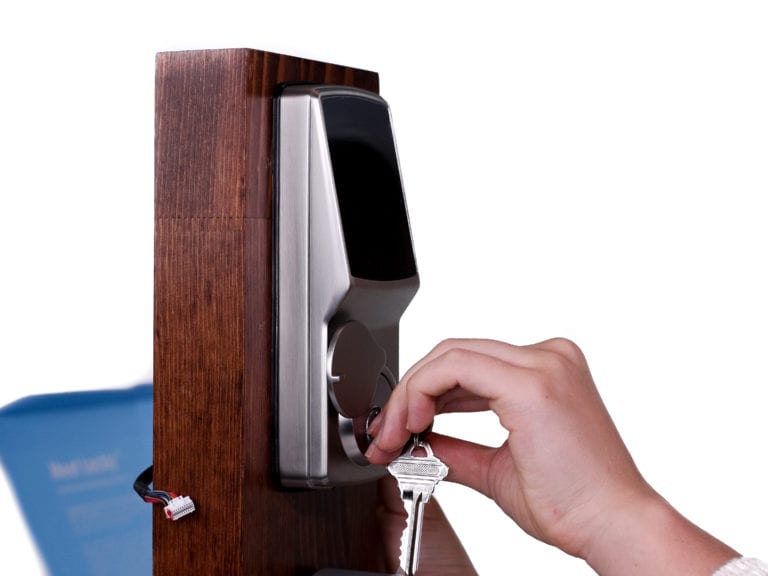
We looked for independently verified hardware and clear durability signals. The ANSI/BHMA grading system (Grades 1–3) tests security, durability, and finish; Grade 1 is the highest, and the BHMA Certified mark indicates compliance. Exterior components may also publish environmental ratings (e.g., IP codes) that indicate dust/water resistance; retrofit interior‑only designs usually don’t list IP ratings because electronics remain indoors (IP Code). We reviewed third‑party sources including Consumer Reports. For hands‑on fit checks we used small door mockups a local hardware store provided. (The store, Blackhawk Hardware, was not involved beyond lending stands for our independent research.)
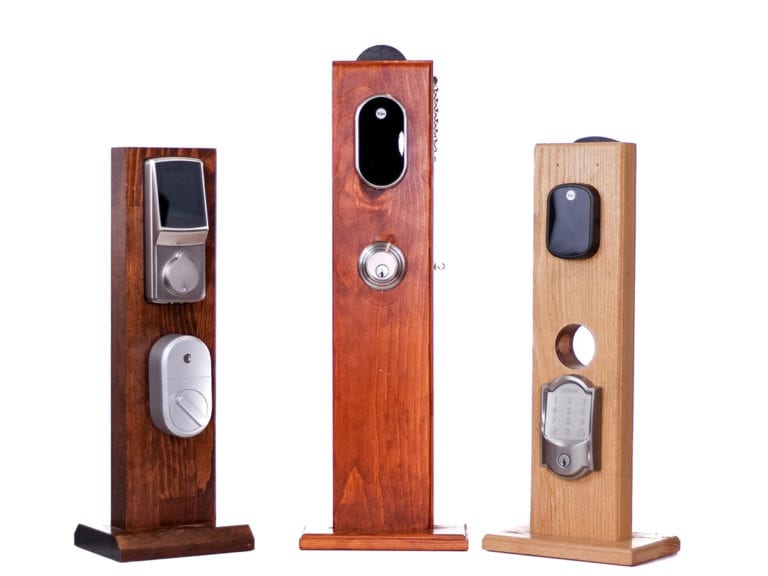
Installation matters. Full‑replacement keypad deadbolts target standard U.S. door prep (2‑1/8 in face bore; 1 in edge bore; 2‑3/8 or 2‑3/4 in backset; common thickness ranges) and provide unified mechanics, while retrofit units mount inside over an existing single‑cylinder deadbolt—fast to install and ideal for renters but dependent on your existing lock’s grade (Yale Assure Lock 2 specs; August retrofit overview; installation comparisons). We also prefer models that retain a mechanical key or have offline entry modes for power/network outages.
Secure (for cyber hackability)
Modern baselines clarify what “good security” means for connected locks. Since April 29, 2024, the UK’s PSTI requires no universal default passwords, a vulnerability disclosure policy, and a stated minimum security update period. In the U.S., the FCC’s Cyber Trust Mark is rolling out, based on NIST criteria (e.g., unique credentials and secure update capability). Industry baselines like ETSI EN 303 645 and OWASP ISVS provide concrete controls (secure boot, signed OTA, modern crypto, brute‑force protection). If your lock supports Matter security, you also get authenticated onboarding (device attestation) and end‑to‑end encrypted local messaging. We favor products and apps that enable MFA and automatic updates, aligning with CISA’s Secure by Design guidance.
If you’re in the home sharing industry, prioritize locks that separate household access from guest credentials, support time‑limited PINs, and allow quick revocation and audit. Multiple entry options (keypad, app, mechanical key, and sometimes biometrics) help you maintain access even when phones or networks misbehave.
Consistency and ease of use
We verified that app commands reliably lock/unlock and that notifications and geofencing features behave as promised. App quality is measurable: in 2025, best‑in‑class mobile apps consistently reach roughly 99.6–99.9% crash‑free sessions with responsive cold starts, and Android vitals enforces bad‑behavior thresholds for crashes/ANRs that can impact store visibility. We looked for stable control in daily use and clear feedback when connectivity isn’t available (App Store crash analytics; industry benchmarks).
The 4 Best Smart Door Locks
Schlage Encode

Pros
Easy installation
WiFi hub-less (without sacrificing connectivity)
Security features
Reliable app
Cons
Aesthetics
Fewer third-party integrations

Why we chose it
Easy to use
Schlage’s full‑replacement keypad deadbolt installs cleanly on standard U.S. door prep and includes clear guidance. The unified exterior keypad plus interior escutcheon deliver consistent mechanics and weather sealing compared with retrofit units. Schlage backs residential mechanics/finish with a lifetime limited warranty and separate electronics coverage, a common durability pattern in the category (warranty details).
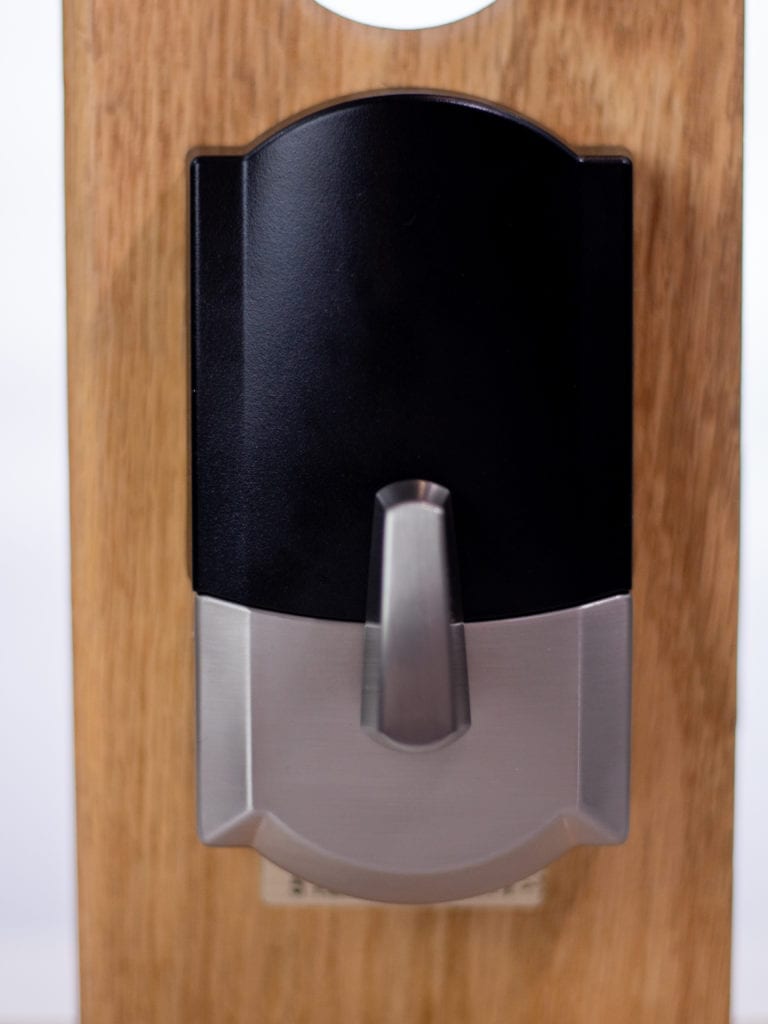
WiFi hub-less
Unlike even the smartest of smart locks on the market today, the Schlage Encode doesn’t come with an external WiFi hub. Built‑in Wi‑Fi streamlines setup and remote control, reducing points of failure versus separate bridges. If your home network has a modern router, features like Multi‑Link Operation in Wi‑Fi 7 can further improve responsiveness.
Added security features
You can tell Alexa and Google to lock the door, and even integrate it into home security suites like Ring. It also works with the Amazon Key service, allowing guests and mail carriers to enter (with your supervision via an Amazon Cloud Cam). The Encode includes a built‑in alarm for forced‑entry detection, and Schlage’s app supports MFA and updates that align with current “secure‑by‑default” expectations (CISA).
Platform trend note: This Encode model uses Wi‑Fi and does not natively support Matter/Thread or Apple Home Key; if you require those, verify model‑level support before purchase (Matter overview).
Reliable app
The Schlage Home app makes it easy to create and schedule up to 99 PIN codes and manage lock/unlock from the home screen. In day‑to‑day use we looked for stable control and clear status feedback. As general targets for 2025, mobile apps should maintain roughly 99.6–99.9% crash‑free sessions and keep Android ANRs below Play’s bad‑behavior thresholds for consistent store visibility (Android vitals; iOS crash analytics; benchmarks).
[sc_minimodule feature=”shareable_image” anchor=”” url=”//assets.reviews.com/uploads/2019/05/31110249/image11-768×1365.png” alt=”Schlage Encode mobile app” title=”image11″][/sc_minimodule]
[sc_minimodule feature=”shareable_image” anchor=”” url=”//assets.reviews.com/uploads/2019/05/31110234/image13-768×1365.png” alt=”” title=”image13″][/sc_minimodule]
We experienced consistent command execution without major connectivity issues. For best results, keep firmware and apps up to date and enable multi‑factor authentication where available.
Points to consider
Aesthetics
Encode is available in Camelot (satin nickel, aged bronze) and Century (satin nickel, matte black) trims. The keypad‑forward look is functional and secure but not as minimalist as interior‑only retrofits.
Fewer third-party integrations
The Schlage Encode works with Amazon Alexa, Google Home, Ring, and Amazon Key. It does not support Apple HomeKit, Apple Home Key, or native Matter/Thread at this model level—if you need long‑term, multi‑ecosystem local control, confirm Matter support per model.
August Smart Lock Pro + Connect

Pros
Good for integrations, automations
Great for hosting
Highly-rated
Cons
Bulky design
Inconsistent app
Why we chose it
Good for integrations
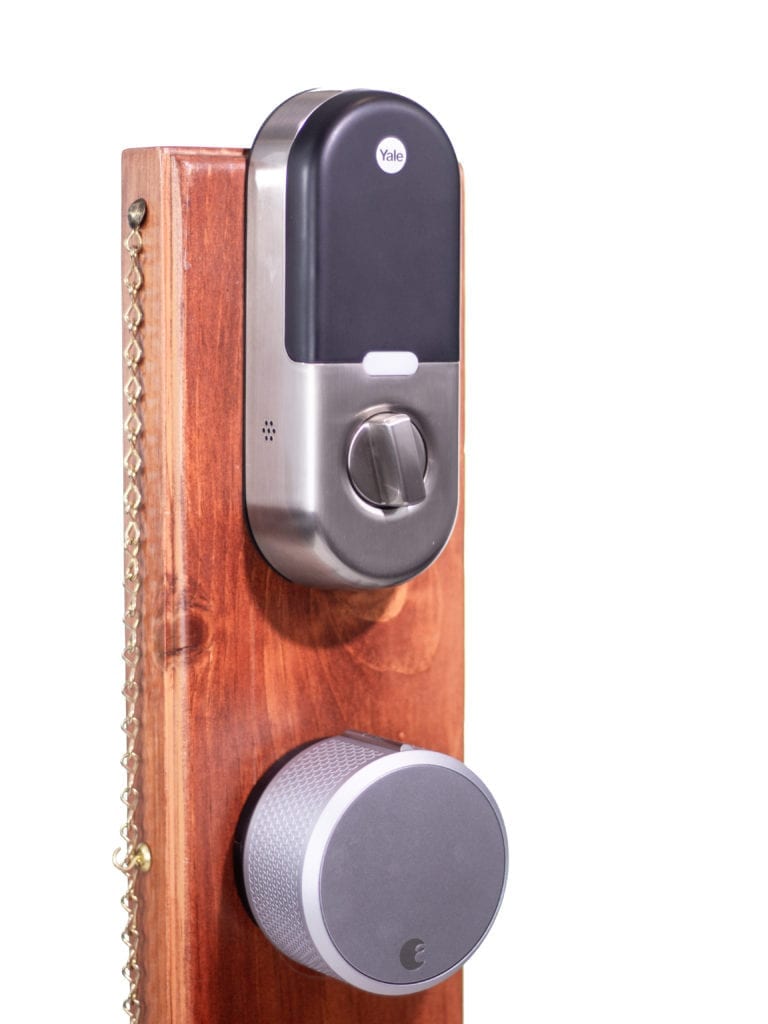
The August Smart Lock Pro + Connect is a retrofit design that keeps your exterior hardware and adds smart control from inside. It supports rich integrations—Alexa, Google, and Apple HomeKit—plus routines via IFTTT (Works With), and August’s DoorSense confirms door status. The included Connect bridge provides Wi‑Fi for remote access; without it, control is via Bluetooth. Note that Pro + Connect does not natively support Matter/Thread (Matter overview).
Auto-unlocking
August’s geofencing can auto‑unlock as you approach and auto‑lock after a configurable delay, reducing key fumbling. You can toggle the feature and adjust timing; be aware that hands‑free unlock has been analyzed for potential edge‑case vulnerabilities and should be configured thoughtfully (study).
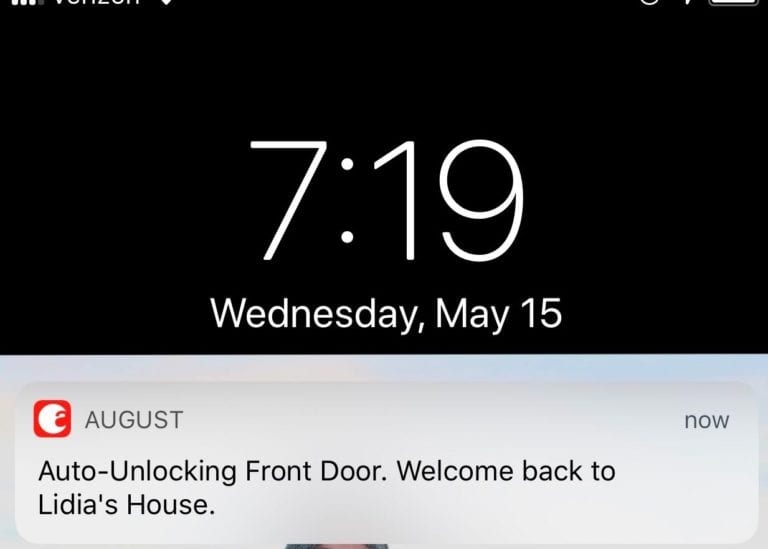
For the most robust setup, use strong account security (unique credentials and MFA), keep the app/firmware updated, and follow IoT hardening best practices outlined by OWASP ISVS.
Great for hosting
August integrates directly with Airbnb and HomeAway for time‑bound codes sent in booking confirmations. If you prefer keypad entry, add the optional August Smart Keypad. Total cost of ownership note: retrofit locks can require accessories (bridge/keypad) and periodic batteries; expect today’s street prices and consumables to be materially higher than pre‑2020 levels in line with general inflation trends (BLS CPI).
Highly rated
We did not conduct destructive entry tests. Independent sources indicate solid day‑to‑day reliability for August’s design, but remember that retrofit units inherit the mechanical strength and BHMA grade of your existing deadbolt (Consumer Reports; BHMA grading).
Before purchasing, verify that your deadbolt is compatible with August’s retrofit approach and consider upgrading the mechanical lock if it’s worn (compatibility guide).
Points to consider
Bulky design
The metal interior housing is substantial—easy to grip but visually prominent. The included Wi‑Fi bridge reduces flexibility compared with hub‑less Wi‑Fi locks; placement matters for stability. Bridges can be finicky if outlets or signal are not ideal.
Inconsistent app
While integrations are strong, we’ve encountered occasional app slowdowns and timeouts during setup in the past. For perspective, Android and iOS both expose crash/hang metrics and enforce quality bars that reputable apps target—keeping crash‑free sessions in the high‑99% range and ANRs below thresholds (Android vitals; App Store analytics).
August Smart Lock 3rd Generation

Pros
Third-party integrations
Sleek design
Cons
No Apple HomeKit or Amazon Key integration
Why we chose it
Third-party integrations
This retrofit lock offers much of August’s automation at a lower entry cost than Pro. With the optional Connect bridge, it works with Alexa and Google and supports geofencing. It does not support Apple HomeKit and does not natively support Matter/Thread (Matter overview).
Sleek design
The more compact, oval design is easier to blend into interiors than the Pro while still providing the same inside‑only retrofit approach. Installation is quick on compatible single‑cylinder deadbolts and leaves your exterior keyway intact—useful for renters and those wanting keypad‑free aesthetics.
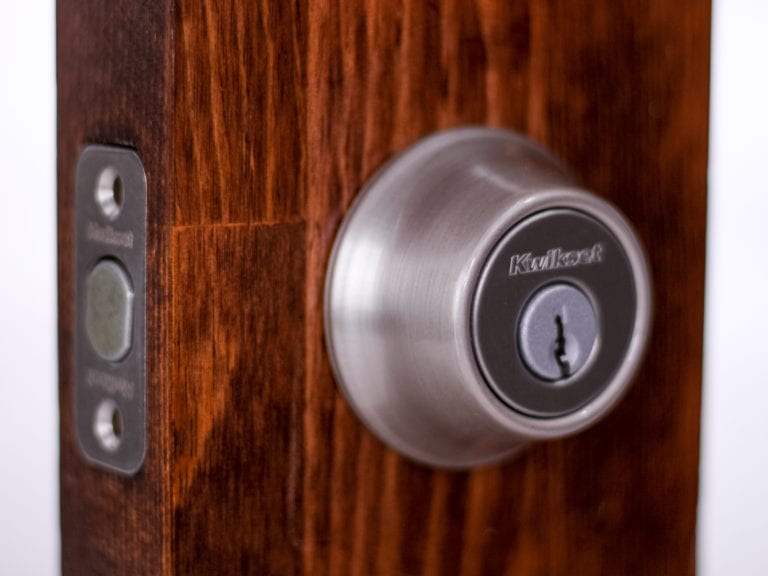
If you want the August 3rd Gen smart lock, consider keeping your original deadbolt (featured above).
Points to consider
No Apple HomeKit or Amazon Key integration
The 3rd Gen doesn’t include a Connect bridge, but you can add one for remote access and voice controls. It lacks Apple HomeKit and Amazon Key integration. As a retrofit unit, its physical security depends on your existing deadbolt—consider upgrading the mechanical lock if needed and budget for accessories and battery replacements as part of total ownership (pricing context; BHMA basics).
Lockly Secure Pro

Pros
Most modes of entry
Good for hosting
Cons
Tricky installation
Connectivity issues
Why we chose it
Most modes of entry
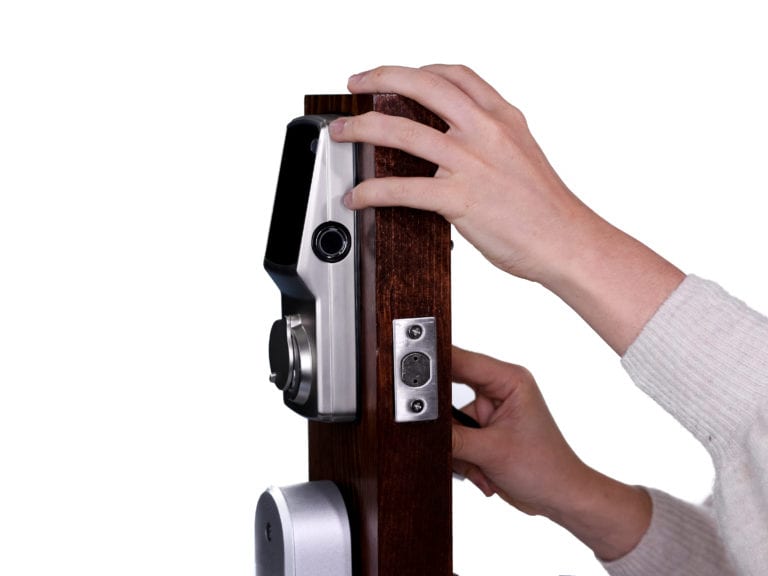
Unlike the older Lockly model (which doesn’t use WiFi), the Secure Pro blends a physical keyway, touchscreen keypad, app control, and a fingerprint reader. The included hub enables Alexa and Google voice control. Its Pin Genie keypad randomizes digits to reduce shoulder‑surfing. Biometrics have moved into the mainstream for mid/high‑tier smart locks and are valued for speed and convenience (independent testing trends).
Good for hosting
If guests prefer not to install apps, Lockly’s Offline Access Code lets you generate time‑bound codes and share them by text or email. While Lockly isn’t integrated with Airbnb, you can set codes for one‑time use or up to 60 days. Multiple entry modes and offline options are helpful backups when networks are down.
Of course, you can still suggest your guests download the app and work as authorized users for a certain period of time before their time expires. The choice is yours.
Points to consider
Tricky installation
Installation requires careful alignment and following some delicate steps (e.g., holding reset during battery load). If you see error prompts, re‑seat the backplate and confirm bolt alignment before calibration. Response from support may vary; leave detailed messages and include photos for faster resolution.
Connectivity issues
We’ve observed occasional buffering during remote control with hub‑based designs. For best stability, place the Lockly hub within strong Wi‑Fi range and avoid congested 2.4 GHz overlaps. As a general target, aim to keep app crash/ANR rates well within platform thresholds (Android vitals benchmarks).
[sc_minimodule feature=”shareable_image” anchor=”” url=”//assets.reviews.com/uploads/2019/05/31110147/image2-768×1365.png” alt=”” title=”image2″][/sc_minimodule]
[sc_minimodule feature=”shareable_image” anchor=”” url=”//assets.reviews.com/uploads/2019/05/31110203/image5-768×1365.png” alt=”” title=”image5″][/sc_minimodule]
Guide to Smart Door Locks
How to find the right smart door lock for you
Assess your existing deadbolt locks
Most full‑replacement smart deadbolts fit standard U.S. prep (2‑1/8 in face bore; 1 in edge bore; 2‑3/8 or 2‑3/4 in backset; typical thicknesses), minimizing drilling. Retrofit designs (e.g., August) mount over a single‑cylinder deadbolt with interior thumbturn and preserve the exterior keyway—fast for renters and reversible, but the mechanical security depends on your existing lock’s BHMA grade (fit specs example; retrofit overview; BHMA grades).
Think about your budget
Beyond the sticker price, account for accessories (e.g., bridges or keypads for some retrofits) and recurring batteries. Relative to pre‑2020, broad U.S. price levels are materially higher; factor current pricing and accessory costs accordingly (CPI context). Conventional deadbolts remain effective for basic security (Consumer Reports), but smart features add remote access, automation, and audit trails that many households value.
Take stock of the home automation protocols you already use
For the broadest future‑proofing and local control, prioritize Matter support (with a compatible controller) and Thread for battery devices. Legacy devices can remain in service via bridges (Zigbee/Z‑Wave hubs). Ensure your home has at least one Thread Border Router if you plan to adopt Thread devices, and keep your Wi‑Fi infrastructure current for best responsiveness.
Look for transparency
Choose brands that publish a vulnerability disclosure policy, state how long they provide security updates, and follow consumer IoT baselines like ETSI EN 303 645 and the UK’s PSTI. In the U.S., the Cyber Trust Mark label will make it easier to spot stronger security commitments. Favor products that support MFA and clear privacy controls.
Stay up to date
Enable automatic updates for both the lock and app, register for security notices, and review change logs. Matter‑capable products include authenticated onboarding and encrypted local control as part of the standard security model (Matter security). Keep networks segmented and avoid enabling remote unlock modes you don’t need.
Smart Locks FAQ
The Best Smart Locks: Summed Up
More Smart Home Reviews
Keeping up with home security and access tech is easier when you track standards and reliability. We follow cross‑ecosystem updates like Matter/Thread, app quality benchmarks, and evolving cybersecurity labels so you can choose products that last and stay secure.
- home security system
- The Best Home Security Cameras
- The Best Identity Theft Protection Service
- family and friends


